

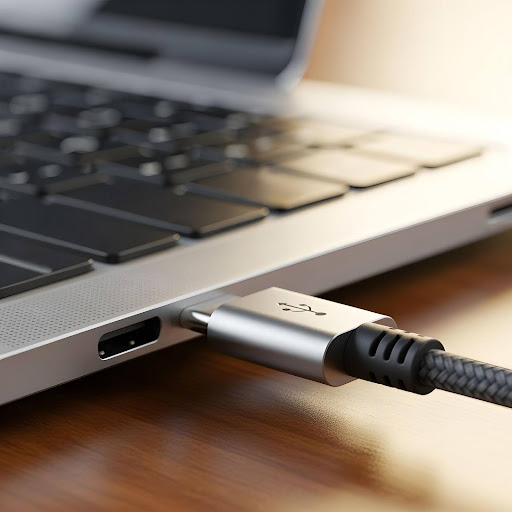
Laptops have become an indispensable part of our daily lives, serving both personal and professional purposes. From attending virtual meetings and online classes to streaming movies, playing games, and managing work tasks, we rely on them constantly. Despite their convenience, laptops are prone to certain issues, with one of the most common being a faulty charging connector.
A damaged or loose connector can prevent the device from charging properly, causing interruptions, sudden shutdowns, and potential data loss. Understanding the underlying causes of this problem, such as physical wear, accidental damage, or faulty chargers, and knowing how professional laptop charging connector repair works can save time, money, and unnecessary frustration.
What is a Laptop Charging Connector?
The charging connector, often called the DC jack, is the small port where your laptop charger plugs in. It serves as the bridge between your power adapter and the laptop battery. A damaged or malfunctioning connector can prevent your laptop from charging, leading to sudden shutdowns and interrupted work.
Laptop charging port repair involves diagnosing the issue, replacing or repairing the damaged component, and testing the device to ensure safe and reliable power delivery. Professional technicians use specialized tools to handle these delicate parts, making sure no further damage occurs during the repair process.
Common Causes of Charging Connector Damage
1. Physical Wear and Tear
Frequent plugging and unplugging of the charger can cause the connector to loosen or wear out over time. This constant mechanical stress can bend internal pins or crack the port housing, making it impossible to maintain a stable connection. Regular usage without care is a leading cause of charging connector failure.
2. Accidental Damage
Dropping a laptop while the charger is connected or pulling the cable abruptly can damage the charging port. Even minor impacts can misalign the internal pins, resulting in intermittent or no charging. This type of damage is often overlooked until the laptop fails to charge entirely.
3. Liquid Spills
Spilled liquids like coffee, tea, or water can corrode the metal components inside the charging connector. Corrosion can lead to short circuits, resulting in permanent damage if not addressed promptly. Immediate professional intervention is crucial in such cases.
4. Faulty Charger or Adapter
Sometimes the problem is not the laptop but the charger. Using a non-compatible or damaged charger can cause overheating or irregular power delivery, which can damage the laptop’s charging port over time. Always use the compatible chargers recommended for your laptop model to avoid connector issues.
5. Internal Component Failures
In some situations, the motherboard or other internal circuits may fail, preventing proper charging. Diagnosing such problems requires professional expertise. Skilled technicians in PC repair Auckland can determine whether the charging connector is the issue or if there’s a deeper internal fault affecting power delivery.
Signs Your Laptop Needs Charging Connector Repair
Identifying early signs of a failing charging port can prevent further damage and inconvenience. Common indicators include:
- Laptop only charges at certain angles or when the cable is positioned in a specific way
- Frequent disconnection from the charger despite being plugged in
- Visible damage or wobbling in the charging port
- Laptop battery not charging even with a functional charger
- Sparks, unusual heat, or noise near the charging area
Noticing these warning signs early can save you from more extensive repairs and potential data loss.
The Laptop Charging Port Repair Process
Professional repair technicians follow a systematic approach to fix charging connector issues. Here’s what the process typically involves:
1. Diagnosis
Technicians perform a thorough inspection of the charging port, power adapter, and internal circuits. This step helps identify the exact cause of the problem, whether it’s the connector itself or an internal hardware issue.
2. Disassembly
The laptop is carefully opened to avoid damaging sensitive components. The technician locates the faulty charging connector or related parts that need repair or replacement.
3. Repair or Replacement
Depending on the severity of the damage, the technician may either repair the existing connector or replace it entirely. High-quality components are used to ensure durability and optimal performance.
4. Testing
After the repair or replacement, the laptop is tested with different chargers to confirm stable and safe charging. This step ensures that the repair has resolved the issue effectively.
5. Final Inspection
A detailed check ensures that the laptop functions properly and that no other components were affected during the repair. This step guarantees that the device is safe for daily use.
Benefits of Professional Laptop Charging Port Repair
- Cost-Effective: Repairing the charging connector is usually cheaper than replacing the entire motherboard or laptop.
- Data Safety: Skilled technicians handle internal components carefully, minimizing the risk of data loss.
- Reliable Performance: A professional repair restores stable charging and prevents further damage.
- Time-Saving: Experienced technicians can complete repairs quickly, reducing downtime and inconvenience.
Attempting DIY repairs without proper tools and experience can worsen the problem and lead to higher costs. Professional PC repair services in Auckland provide reliable results and peace of mind.
Choosing the Right Repair Service
When looking for laptop charging port repair, it is crucial to select a service with expertise, quality components, and a proven track record. Ensure that technicians follow proper safety protocols and provide a warranty on their repair work. Local services specializing in PC repair in Auckland can provide fast and reliable solutions, allowing your laptop to return to optimal performance without delays.
Conclusion
Ensuring the proper functioning of your laptop charging connector repair is crucial for maintaining device performance and longevity. Identifying the causes of damage, recognizing early warning signs, and relying on professional repair services can help prevent costly replacements and data loss. With timely repairs, careful maintenance, and preventive measures, your laptop can continue to operate efficiently for many years.
For fast and reliable device repairs, NZ Electronics Repair provides expert laptop charging port repair and complete PC repair services in Auckland. Their experienced technicians handle screen replacements, battery problems, motherboard issues, and more. Using high-quality parts and professional techniques, they deliver fast, reliable, and affordable solutions, ensuring your laptops and PCs are restored to optimal performance quickly and safely.




More Stories
Turning Ideas into Products: The Role of CAD Technology in Product Development
Home Insurance Guide: Protecting Jewellery and Valuable Possessions
From Community Service to Exequatur: The Real Path to an Honorary Consul Appointment