
Microsoft Power Platform is one of the most practical low-code tools available to modern businesses. From automating repetitive workflows to building internal apps without writing code, it empowers employees across every department to solve real problems fast. That is why a Power Platform course has become a key component of corporate training programs for employees who are not developers but want to be more productive and impactful.
This article covers what the course includes, why it matters, and how to roll it out effectively across your organization.
What Is Microsoft Power Platform?
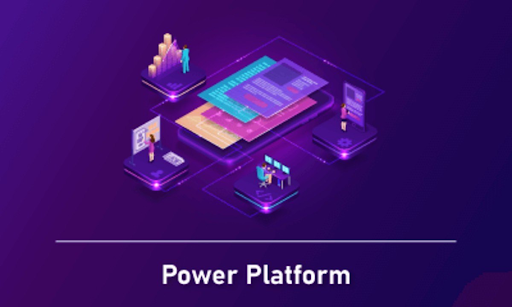
Power Platform is a suite of four Microsoft tools:
- Power BI — for data visualization and business intelligence
- Power Apps — for building custom low-code applications
- Power Automate — for creating automated workflows
- Power Virtual Agents — for building chatbots without coding
Together, these tools allow non-technical employees to analyze data, build apps, automate tasks, and deploy AI-powered assistants — all within the Microsoft ecosystem.
Why Power Platform Training Is a Smart Corporate Investment
| Department | Power Platform Use Case | Time Saved |
| HR | Employee onboarding automation with Power Automate | 5-8 hrs/week |
| Finance | Expense report dashboards in Power BI | 3-5 hrs/week |
| Operations | Custom approval apps with Power Apps | 6-10 hrs/week |
| Sales | Lead tracking dashboards and alerts | 4-6 hrs/week |
| IT | Chatbot for helpdesk queries via Power Virtual Agents | 8-12 hrs/week |
What a Power Platform Course Covers in Corporate Training Programs for Employees
A well-designed Power Platform course within a corporate training program typically includes:
- Introduction to the Power Platform ecosystem
- Building basic to advanced Power Apps with no code
- Creating automated flows with Power Automate
- Designing dashboards and reports in Power BI
- Connecting to data sources like SharePoint, Excel, and Dataverse
- Power Virtual Agents for building basic chatbots
- Best practices for security and data governance
Step-by-Step: Launching a Power Platform Training Program
- Identify high-impact departments where automation can save time
- Define clear learning objectives for each role group
- Set up a Microsoft 365 environment with Power Platform licenses
- Begin with a Power Automate module — it delivers the fastest visible results
- Progress to Power Apps for more complex use cases
- Incorporate Power BI for data-driven decision making
- Assign a hands-on project tied to each team’s actual work
Key Benefits for Employees and Organizations
- Employees solve their own workflow problems without waiting for IT
- Significant reduction in manual, repetitive tasks
- Faster access to data insights through self-service BI
- Stronger employee engagement through practical skill building
- Cost savings from reduced dependency on custom software development
Common Mistakes in Power Platform Corporate Training
- Not giving employees enough time to practice during training
- Teaching all four tools at once — overwhelming for beginners
- Skipping governance training — leading to security risks
- Not connecting course content to real departmental workflows
- No post-training support or champion community
Best Practices for Running a Power Platform Program
- Start with a Power Platform champion in each department
- Use real internal workflows as training exercises
- Create an internal gallery of apps and flows built by employees
- Run monthly show-and-tell sessions to share innovations
- Link Power Platform skills to employee performance goals
Conclusion
Giving your employees Power Platform skills is one of the fastest ways to improve productivity, reduce bottlenecks, and build a culture of innovation. It does not require a developer — just motivated employees and the right corporate training program.
Start with one department, prove the value, and then expand. The results will speak for themselves.
Interested in launching a Power Platform training program for your employees? Get in touch for a custom learning plan built around your Microsoft environment.
FAQs: Power Platform Course for Corporate Training
1. Do employees need coding skills to take a Power Platform course?
No. Power Platform is designed for non-developers. To get started, you only need basic computer skills and familiarity with Microsoft 365 tools.
2. Which Power Platform tool should beginners learn first?
Power Automate is the best starting point. It produces immediate, visible results and helps employees quickly understand the value of automation.
3. Is Power Platform training available online?
Yes. Microsoft Learn offers free online content, and many corporate training providers offer structured instructor-led programs with hands-on labs.
4. How long does a corporate Power Platform training program take?
A basic program covering all four tools takes about 20 to 30 hours. Role-specific modules can be designed to be shorter and more targeted.
5. Can Power Platform connect with non-Microsoft systems?
Yes. Power Platform has hundreds of connectors for tools like Salesforce, Google Sheets, ServiceNow, SAP, and many more through its connector library.




More Stories
Southern Odisha’s Service Contract – What TPSODL Owes Its Paying Consumers
Is Hero Passion Pro Still a Smart Bike for Daily Commute
Statement Styles for Every Occasion: A Guide to Contemporary Women’s Fashion